Skip to content
Prodbyrenno

Chord + melody generator

Hook™

Music theory you can see.

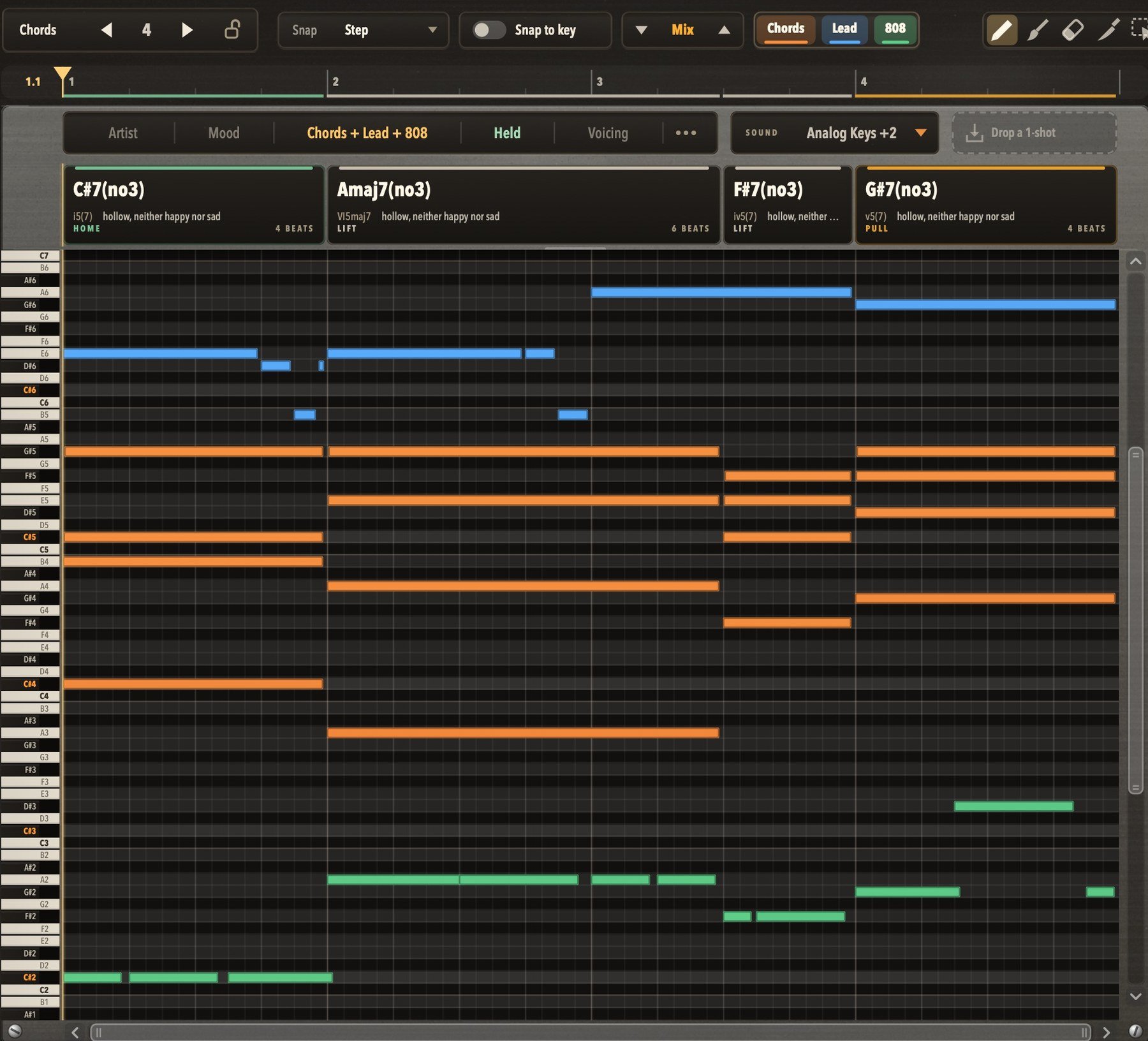
Your starting point when you're stuck: chords that fit, with a lead and an 808 or bass on top, all in one piano roll, with the theory on screen. Every chord named, its job shown, the circle of fifths lit as it plays. The more you use it, the more it clicks.

$39.99Coming soon
  • VST3 · macOS
  • VST3 · Windows 10/11
  • AU · macOS

What it does

Get unstuck

Hook's piano roll with chords (orange), a lead (blue) and an 808 (green) in one roll, the STYLE bar reading Chords + Lead + 808, and the Chords | Lead | 808 picker

01

A starting point, not autopilot

Staring at an empty piano roll? Pick an artist or a mood and hit GENERATE: chords that fit, in a rhythm and voicing that suit them, with a lead and an 808 or bass on top if you want them. Keep what grabs you. Roll the dice on one chord card, or double-click it and type the chord you want.

  • artist + mood styles
  • lead · 808 · bass on top
  • re-roll one chord

02

Pick the artist, the mood, the part, the voicing

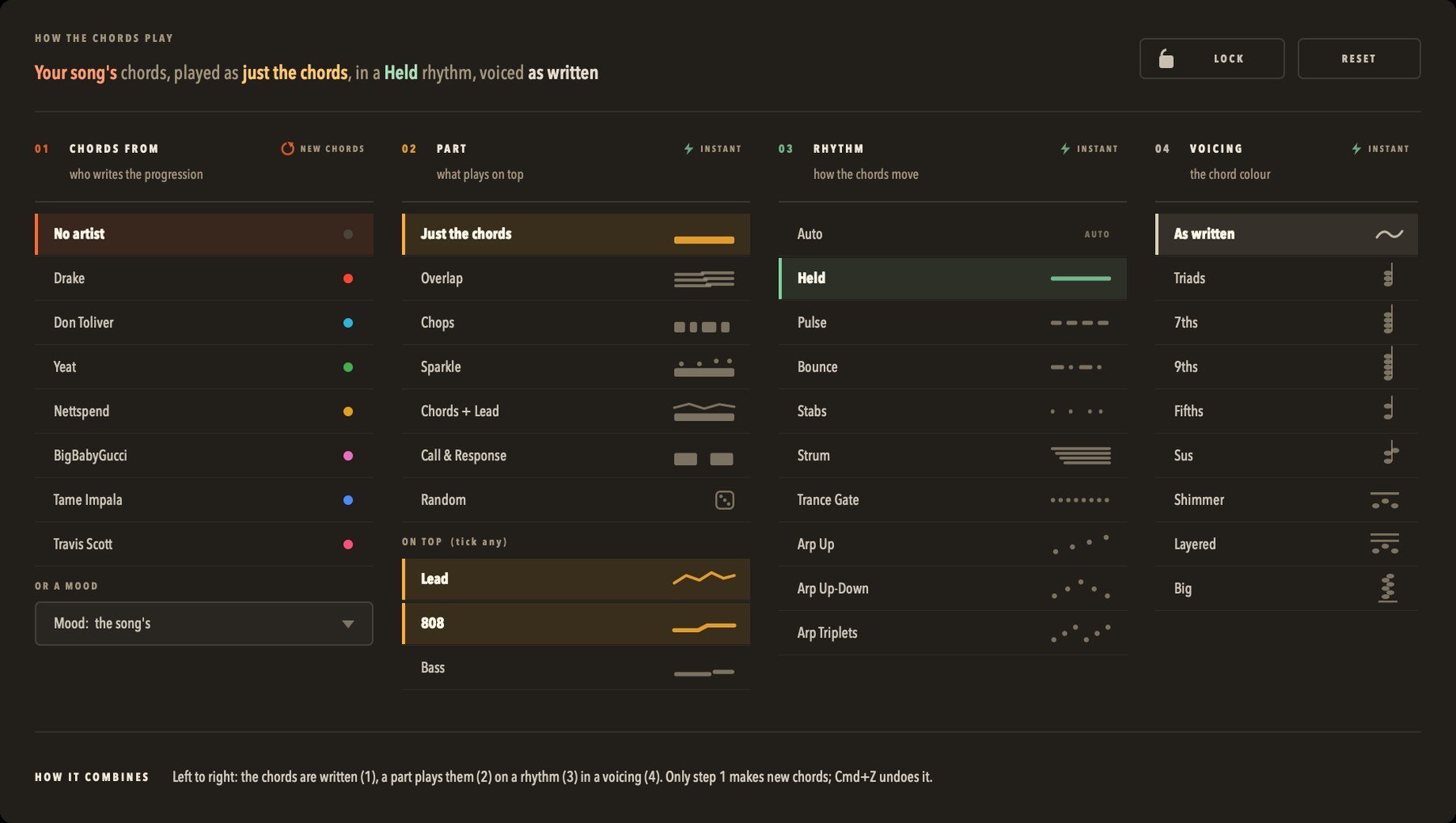
Four picks shape every progression. Who writes it: an artist's style or a mood. The part that plays it: just the chords, overlapping voices, chops, call and response, with a lead and an 808 or bass on top. The rhythm, from held to strummed to arps. And the voicing, from plain triads up to BIG. Change the last three and you hear it instantly, on the same chords.

  • 7 artists · 14 moods
  • 7 parts + lead / 808 / bass on top
  • 9 rhythms · 9 voicings
Hook's STYLE panel in four columns: chords from (an artist or a mood), part (with Lead and 808 ticked on top), rhythm and voicing

See the theory

03

Move a note, watch the chord change

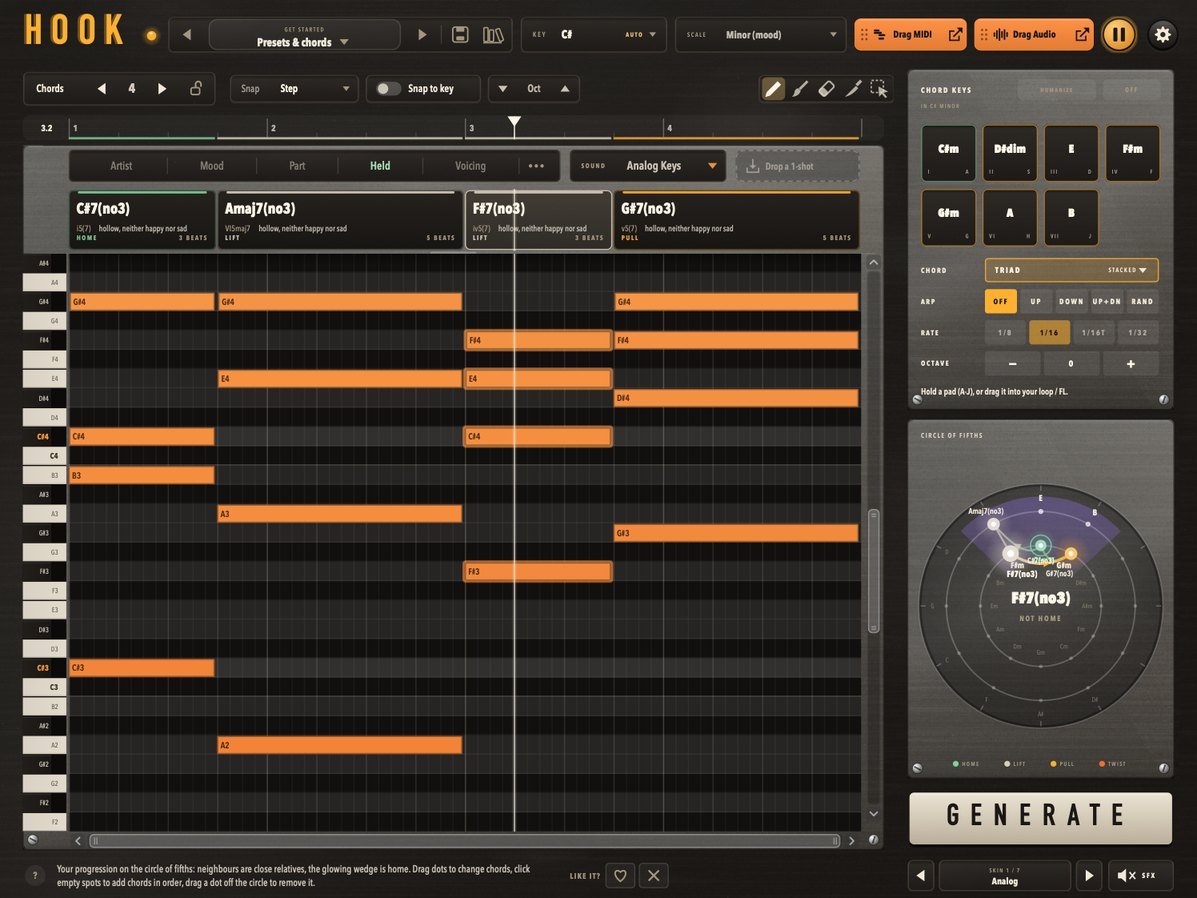
Every chord card names what's really in the piano roll, and its job in the key. Drag one note of F#m up a half step and it's F#, a TWIST. One more and it's F#sus4. Back down and it's F#m again. You hear the change and see why it happened.

  • cards rename as you edit
  • HOME · LIFT · PULL · TWIST
  • type any chord

04

Drag chords in, move them on the circle

The Chord Keys pads are numbered I to VII in your key. Drag one onto the loop and it lands where you let go. Then grab any chord on the circle of fifths and slide it to a neighbour: F#m becomes A, its card follows, and the loop plays it. You learn how chords relate by moving them around.

  • pads numbered I to VII
  • drag chords on the circle
  • hear each spot as you pass

The essentials

Hook's preset library: 224 presets, filters for artist, mood, key, scale, complexity and chord colour, and a preview button on every row

Search 224 presets

Search 224 presets

Type a mood, a chord or a vibe and the library narrows as you type. Hear any preset before you load it, filter by mood, scale or key, and star your favourites. Save your own into folders, with tags.

  • 18 folders
  • preview first
  • your folders + tags
Hook's edit bar (snap, snap to key, octave, the Chords | Lead | 808 picker, the draw / paint / delete / slice / select tools) over the piano roll

Edit like your DAW

Edit like your DAW

Draw, paint, delete, slice and select with the keys of the DAW you know: FL Studio, Ableton Live, Logic Pro or Studio One. Snap, snap to key, quantize and undo.

  • FL · Ableton · Logic · Studio One keys
  • snap to key
  • undo / redo
Hook's chords playing a dropped one-shot: the 1-SHOT dark-bell pill and its envelope button over the chord cards

Drag in your own one-shots

Drag in your own one-shots

Give each part its own sound: drop a sample on the Chords, Lead or 808 zone and Hook plays that part with it, tuned to every note. Shape it with the envelope: PLUCK, PAD, SWELL or your own.

  • WAV · AIFF · FLAC · MP3 · OGG · M4A
  • one per part
  • ADSR

Into FL Studio

05

Drag it straight into FL

Drag MIDI onto any channel in FL's channel rack and the notes land in its piano roll: the chords and anything on top, as one clip. Or Drag Audio for exactly what you hear, as a WAV. Playing it on a one-shot? Drag the 1-SHOT pill onto the channel and FL builds a Sampler with the same sound, in tune, with Hook's envelope. Recorded in FL Studio, not mocked up.

  • Drag MIDI · Drag Audio
  • any channel's piano roll
  • one-shot → FL Sampler

Make it yours

06

Make it look like yours

Seven complete looks. Same tools, a different vibe for your screen and your screen recordings.

  • 7 skins
  • same tools in each
Hook in its Analog skin

Skin

Analog

The default: warm walnut, easy on the eyes.

Skins

Specs

  • macOS 11+ (Apple Silicon or Intel), or Windows 10/11 64-bit
  • Any VST3 host (FL Studio, Ableton Live, Studio One, Bitwig, Reaper, Cubase), or Logic Pro / GarageBand on Mac (AU)
  • No internet needed: paste your key once and it works offline
  • Works as an instrument (MIDI out + built-in preview sounds)

FAQ

Do I need to know music theory?

No, you can start with a preset or GENERATE on day one. But Hook doesn't hide the theory, it shows it: every chord is named, its job in the key is labelled, and the circle of fifths lights up as it plays. Use it for a few weeks and you'll start to hear why a progression works, and to write your own on purpose.

Does Hook make the beat for me?

No, and it isn't meant to. Hook gives you a starting point when you're stuck and shows you the theory behind it. What you keep, change and build on is up to you, and over time you'll need it less to get started and use it more to try ideas.

Are the artist presets the actual songs?

No. The artist folders are style studies: chords and melodies written from the way those artists tend to write, never their songs, melodies or audio. Artist names are only for reference; there's no endorsement.

Will it play over my beat when I press play in FL?

Not unless you want it to. By default Hook only plays from its own play button. You can switch it to follow FL's transport or to play only while you hold a note.

Can I use what Hook makes in released music?

Yes. The MIDI you make is yours. It's royalty-free.

Your next session

Hook is coming soon.

The plugins launch soon. Leave your email and we'll tell you the day they're out. Pay once and it’s yours, no subscription.

$39.99Coming soon